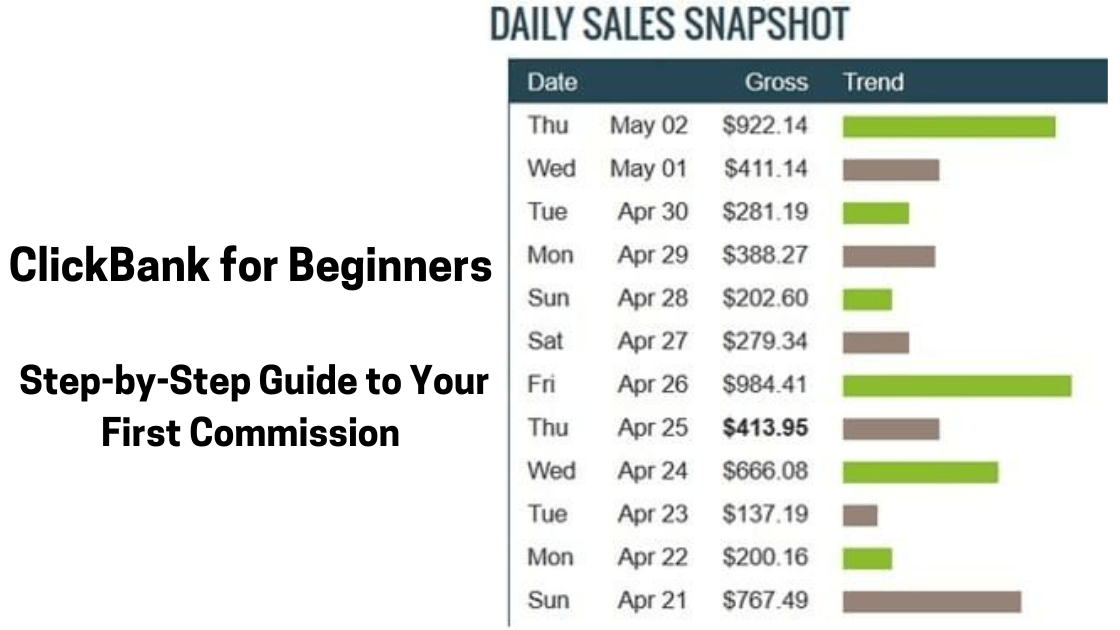
If you’ve spent any time researching affiliate marketing, ClickBank’s name has almost certainly come up. And for good reason, it’s one of the oldest, most accessible, and highest-paying affiliate networks in the world.
Founded in 1998, ClickBank has paid out over $6.2 billion in commissions to affiliates worldwide.
Unlike many networks that require you to apply, get approved, or already have an established website, ClickBank lets virtually anyone sign up and start promoting products the same day.
That’s both its greatest strength and a potential pitfall: anyone can join, but not everyone knows how to use it strategically.
This guide exists to give you that strategy from creating your account to picking the right products, to driving traffic that actually converts, all the way to receiving your first check or direct deposit.
Whether you’re a complete beginner to affiliate marketing or you’ve tried other platforms and found them frustrating, this ClickBank for beginners step-by-step guide will show you exactly what to do and in what order.
Let’s get into it.
What Is ClickBank? A Plain-English Overview
ClickBank is an online marketplace that connects two types of people.
- Vendors: creators who sell digital products (ebooks, online courses, software, supplements) through ClickBank’s platform
- Affiliates: marketers like you who promote those products and earn a commission on every sale
The affiliate commission structure is what makes ClickBank so attractive. While most traditional affiliate programs (Amazon Associates, for example) pay 1–8%, ClickBank commissions routinely range from 50% to 75%, sometimes even higher. On a $97 product, that’s $48–$73 per sale.
ClickBank handles all the payment processing, refunds, and commission tracking. Your job as an affiliate is simply to send the right people to the right products.
ClickBank vs. Other Affiliate Networks
| Feature | ClickBank | Amazon Associates | ShareASale |
|---|---|---|---|
| Commission Rate | 50–75% typical | 1–8% | Varies (3–30%) |
| Approval Required | No (most products) | No | Yes, per advertiser |
| Payout Threshold | $10 minimum | $10 minimum | $50 minimum |
| Product Type | Primarily digital | Physical + digital | Mixed |
| Cookie Duration | 60 days | 24 hours | Varies |
For beginners focused on earning meaningful commissions quickly, ClickBank’s model is hard to beat.
Step 1: Create Your Free ClickBank Account
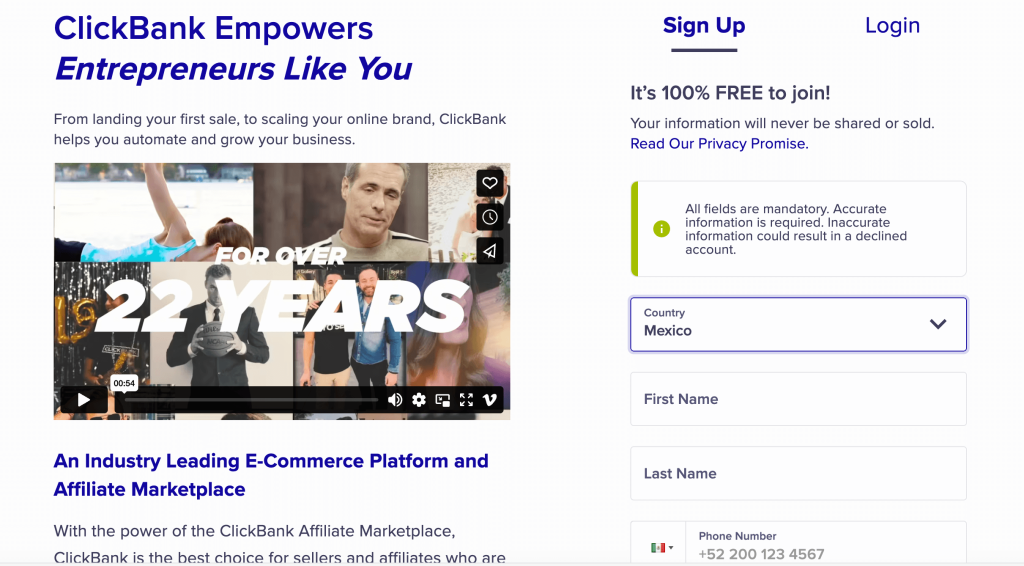
Getting started costs nothing. Here’s how to set up your account correctly from day one.
How to Sign Up
- Go to clickbank.com and click “Create Account” in the top navigation.
- Fill in your basic personal information: name, email address, phone number, and country.
- Create a username (this becomes your affiliate ID). Choose something professional and memorable.
- Agree to ClickBank’s terms of service and complete the sign-up.
You’ll receive a confirmation email. Click the link to verify your account.
Setting Up Your Account Profile
Once inside, navigate to Settings > Account Info and complete the following before you do anything else:
- Payment information: Add your bank account details or select check payments. ClickBank pays via direct deposit, check, wire transfer, or Payoneer, depending on your country.
- Tax information: U.S. residents will need to complete a W-9. International affiliates complete a W-8BEN form. This step is mandatory before ClickBank releases your commissions.
- Payment threshold: Set the minimum balance required before ClickBank issues your payment. The default is $100; you can lower it to $10 once your account has processed at least one sale.
Pro tip for international affiliates
If you’re based in Mexico or Latin America, Payoneer is typically the smoothest payout option. Set it up through your Payoneer account and link it in ClickBank’s payment settings.
Step 2: Navigate the ClickBank Marketplace
The ClickBank Marketplace is where you find products to promote. Understanding how to read it is one of the most important skills you’ll develop as a ClickBank affiliate.
Accessing the Marketplace
From your ClickBank dashboard, click Marketplace in the top navigation. You’ll see thousands of products organized into categories, including.
- E-Business & E-Marketing
- Health & Fitness
- Self-Help
- Spirituality, New Age & Alternative Beliefs
- Home & Garden
- Sports
- Green Products
- And many more
Understanding ClickBank’s Key Metrics
Before you promote any product, you need to understand these five metrics displayed on each listing:
Gravity Score
This is ClickBank’s proprietary metric showing how many distinct affiliates have earned a commission from this product in the past 12 weeks, weighted toward recency.
A gravity of 20–100 is generally a healthy range for beginners. Very high gravity (150+) means fierce competition; very low gravity (under 5) might mean the product doesn’t convert.
Average $/Sale
The average commission earned per sale, including upsells. This is what actually hits your account — pay attention to this more than the front-end commission percentage.
Average Rebill Total
Many ClickBank products include a subscription component (monthly membership, software subscription).
This number shows the average commission earned from recurring billing. Products with strong rebill totals build passive income over time.
Gravity Trend
Some marketplace views show whether gravity is rising or falling. Rising gravity = growing demand. Falling gravity = the product may be losing momentum.
Initial $/Sale
The commission from the initial purchase only, excluding upsells and rebills. Compare this to the Average $/Sale to understand the upsell funnel’s contribution.
How to Filter for the Best Products
Use the marketplace search and filter options to narrow down your choices:
- Sort by: Gravity (for proven converters) or Average $/Sale (for higher commissions).
- Category: Pick one you understand or have a genuine interest in.
- Language: Target English-language products unless you’re marketing in Spanish or another language.
Step 3: Choose the Right ClickBank Product to Promote
Product selection is where many beginners go wrong. They chase the highest commission percentage without evaluating whether the product is actually worth promoting. Here’s how to evaluate a product properly.
The 5-Point Product Evaluation Checklist
Review the sales page
Click the vendor’s link to view their sales page. Ask yourself: Would I buy this? Is the copy compelling? Does it look professional? A poor sales page kills conversions, no matter how much traffic you send.
Check the affiliate resources page
Most serious vendors have an affiliate resources (“JV”) page linked from their ClickBank listing. Look for email swipe copy, banner ads, tracking links, and social media assets. Strong affiliate support signals a vendor who’s invested in your success.
Order or research the product
Before you promote something, know what it is. Read reviews, watch YouTube videos about it, or purchase it yourself if the commission justifies it.
You’ll promote it far more effectively and ethically when you know what buyers are getting.
Evaluate the refund policy and reputation
Check ClickBank’s refund rate, where visible. High refund rates (above 15–20%) are a red flag. Google the product name + “review” and + “scam” to see what buyers are saying.
Assess the commission math
At the gravity and traffic volume you’re starting with, how many sales would you realistically need to make this worthwhile? A $10 commission per sale requires far more volume than a $60 commission per sale.
Best Niches for ClickBank Beginners
Some niches consistently perform well on ClickBank and have broad affiliate resources available.
- Health and weight loss: perennially high-demand, lots of proven products.
- Relationships and dating: strong emotional drivers, high commissions.
- Online business and make money online: high buyer intent if you can reach the right audience.
- Survival and preparedness: passionate audience, lower competition than health.
- Gardening: growing (pun intended) niche with surprisingly strong ClickBank presence.
Step 4: Generate Your ClickBank HopLink
Your HopLink is your unique affiliate tracking URL. Every sale made through your HopLink credits your account with the commission.
How to Create a HopLink
- Find a product you want to promote in the Marketplace
- Click the red “Promote” button next to the product listing
- In the pop-up window, your Account Nickname will be pre-filled
- Optionally add a Tracking ID (TID), a short code you create to track where traffic is coming from (e.g., “email1”, “fbad”, “youtube”)
- Click “Generate HopLinks”
- Copy the HopLink URL provided
Your HopLink will look something like this: https://yourname.vendorname.hop.clickbank.net
Best Practices for Managing HopLinks
- Always use tracking IDs to know which traffic sources are converting.
- Never share your raw HopLink in places where it might get stripped or flagged as spam. Use a link shortener or redirect through a page on your own site.
- Store your HopLinks in a spreadsheet organized by product, traffic source, and date created.
Step 5: Drive Traffic to Your ClickBank Offers
This is where the rubber meets the road. No traffic = no sales. Here are the primary methods beginners use to promote ClickBank products, from free to paid.
Free Traffic Methods
Content Marketing / Blogging
Create a niche blog or website targeting keywords your ideal buyer is searching for. Write in-depth reviews, comparisons, and how-to articles that naturally lead readers toward the product you’re promoting. This is the most sustainable long-term strategy, but it takes 3–6 months to gain traction.
Example: If you’re promoting a keto diet program, write articles like “Keto diet plan for beginners,” “What to eat on keto,” and “Keto vs. Atkins: which is better?” each one organically introducing your affiliate offer.
YouTube
Create video reviews, tutorials, and comparisons around your chosen product or niche. YouTube is the second-largest search engine in the world, and video content builds trust faster than text. Include your HopLink (redirected through a clean URL) in the video description.
Social Media (Organic)
Pinterest, TikTok, Instagram, and Facebook Groups can all drive meaningful affiliate traffic for free if you’re consistent and add genuine value rather than just dropping links. Pinterest, in particular, is underrated for evergreen affiliate traffic.
Email Marketing
This is arguably the highest-converting traffic method once you build a list. Offer a free lead magnet (checklist, mini guide, free report) in exchange for email addresses, then build trust through a welcome email sequence before introducing affiliate recommendations.
Paid Traffic Methods
Google Ads / Microsoft Ads
Direct search traffic to people who are already searching for what you’re selling. Requires budget and testing, but can scale quickly.
Note
Many ClickBank products restrict direct linking from ad platforms, so you’ll need a bridge page or presell page.
Facebook/Instagram Ads
Powerful for reaching specific demographics. Works best when combined with a presell page or quiz funnel rather than sending cold traffic directly to a vendor’s sales page.
Native Ads (Taboola, Outbrain)
Works well for health, survival, and financial niches. Ads appear as recommended content on major news sites. Requires split-testing to become profitable.
The Bridge Page Strategy (Highly Recommended for Beginners)
Rather than sending traffic directly to the vendor’s sales page, create a simple bridge page, a short page on your own site, or a tool like Carrd, Leadpages, or WordPress that does three things:
- Pre-sells the product with your personal angle or story
- Builds trust with your voice, photo, and genuine perspective
- Redirects to the vendor’s sales page when the reader clicks your affiliate link
Bridge pages dramatically improve conversion rates compared to cold direct linking, and they also allow you to capture email addresses before the redirect.
Step 6: Track Your Results and Optimize
Most beginners skip this step and wonder why they’re not making money. Tracking is what separates affiliates who fail from those who scale.
What to Track
- Hops: How many clicks does your HopLink receive?
- Order form impressions: How many people landed on the vendor’s order form (a proxy for pre-sale quality).
- Sales: How many purchases were completed?
- Conversion rate: Sales ÷ Hops × 100 (industry average is 1–3%).
- EPC (Earnings Per Click): Total commissions ÷ total clicks. This is your key profitability metric.
Where to Find This Data
Your ClickBank dashboard has a Reporting section with:
- Transaction reporting: Individual sales with timestamps, amounts, and tracking IDs.
- Hop reporting: Click volume by date and tracking ID.
- Analytics: Overview charts of performance over time.
For deeper tracking, tools like ClickMagick or Voluum let you track the full funnel from ad click to sale — with split-testing capabilities.
What to Do With the Data
- High clicks, low sales: The offer or sales page isn’t converting. Try a different product or improve your presell.
- Low clicks: Your traffic source or call to action needs work.
- Good EPC: Scale this traffic source, spend more time or money here.
- Tracking ID comparison: If “email1” is converting at 3% and “youtube1” is at 0.5%, invest more in email content.
Step 7: Get Paid by ClickBank
Once you’ve made sales, getting paid is straightforward — as long as you’ve completed your payment and tax setup in Step 1.
ClickBank Payment Schedule
ClickBank pays on a weekly or bi-weekly schedule (your choice, once you’ve unlocked the weekly option). Payments are processed on Wednesdays for the period ending the prior Friday.
There is a mandatory customer distribution requirement: before ClickBank releases your first payment, you need to have made at least 5 sales using at least 2 different payment methods. This is ClickBank’s fraud prevention measure. Once met, it’s a one-time hurdle.
Payment Methods Available
- Direct deposit (U.S. bank accounts and some other countries, including Mexico and Latin America ).
- Check (mailed, takes longer).
- Wire transfer (available for accounts with higher volumes).
- Payoneer (available in most countries, including Mexico and Latin America).
Understanding Holds and Reserves
ClickBank holds a reserve on new accounts, typically a percentage of earnings held for a period to cover potential refunds. As your account ages and your refund rate stays low, this reserve decreases. It’s normal.
Common ClickBank Beginner Mistakes (And How to Avoid Them)
Promoting too many products at once
Pick one product, one traffic source, and master both before expanding. Spreading thin is the fastest way to succeed at nothing.
Ignoring the vendor’s affiliate resources
Most vendors provide email swipes, banners, and promotional angles that have already been tested and proven to convert. Use them as a starting point, then customize them with your own voice.
Sending traffic directly to the sales page (cold)
Unless you’re running very targeted search ads, always use a bridge page or presell content to warm up your audience first.
Promoting low-quality products for the commission
A high commission on a bad product earns you refunds, damage to your reputation, and frustrated readers. Your audience is your most valuable asset; protect it.
Giving up too soon
It’s common for new affiliates to make zero sales in their first 30–60 days. This is not failure; it’s the learning curve. Track, optimize, and persist.
Not building an email list from day one
You don’t own your YouTube channel, your social media following, or your Google rankings. You do own your email list. Start building it from your first visitor.
Frequently Asked Questions: ClickBank for Beginners
Do I need a website to use ClickBank?
No, you can promote ClickBank offers via YouTube, social media, email, or paid ads without a traditional website. However, a simple website or landing page significantly improves your results and credibility.
How long does it take to make your first ClickBank sale?
It varies widely. With paid traffic and a good product, some affiliates make their first sale within days. With free organic traffic (SEO, YouTube), it typically takes 1–3 months. The variable is always traffic volume and quality.
Can I use ClickBank outside the U.S.?
Yes. ClickBank accepts affiliates from most countries worldwide, including Mexico, Brazil, the Philippines, India, and most of Europe. Payment options vary by country, but Payoneer covers most of the world.
What’s a good ClickBank gravity score for beginners?
For beginners, a gravity between 20 and 80 is a sweet spot proven enough to know it converts, but not so dominant that every experienced affiliate is already attacking it.
Can I promote ClickBank products on social media?
Yes, though each platform has different rules. Always disclose your affiliate relationship (e.g., “This post contains affiliate links”) and follow each platform’s advertising guidelines. Never spam.
Is ClickBank legit?
Absolutely. ClickBank has been in business since 1998 and has paid out billions in commissions. The marketplace contains a mix of quality products and low-quality ones. Your job is to find and promote the good ones.
Final Thoughts: Your ClickBank Action Plan
Here’s a simple action plan you can execute this week:
- Day 1: Create your ClickBank account and complete your payment + tax setup.
- Day 2: Browse the Marketplace in one niche you know or care about. Identify 3 candidate products.
- Day 3: Evaluate each product using the 5-point checklist above. Choose one to start with.
- Day 4: Generate your HopLink. Review the vendor’s affiliate resources page.
- Day 5: Set up your traffic method: start a blog post, record a YouTube video, or build a simple bridge page.
- Day 6–7: Publish, share, and begin driving your first traffic. Set up tracking IDs.
The most important thing is to start and to stay consistent. ClickBank affiliate marketing isn’t a get-rich-quick scheme, but it is a legitimate, scalable income source that has created thousands of full-time online earners over the past two decades.
You now have the map. The next move is yours.
Disclosure
This post contains affiliate links. If you purchase a product through one of my links, I may earn a commission at no additional cost to you. I only recommend products I’ve personally vetted or believe would genuinely help my readers.
Author: Seki Hudson Seki is an engineer-turned-online entrepreneur based in Mexico, building income through affiliate marketing, digital products, and content publishing. Follow his journey at sekihudson.com.