If you’ve been putting off building an email list because you think it’s complicated or expensive, this guide is for you.
Email marketing is still one of the highest-ROI activities you can do as a blogger, content creator, or online business owner.
While social media reach can disappear overnight thanks to algorithm changes, your email list is something you actually own.
When you send an email, it lands directly in your subscriber’s inbox. No platform can take that away from you.
The good news? Getting started has never been easier. The best email marketing tools for beginners in 2026 offer genuinely powerful free plans, drag-and-drop editors that require zero design experience, and automation features that used to cost hundreds of dollars a month just a few years ago.
In this article, I’ll walk you through the top platforms, what makes each one stand out, and help you figure out which one fits your situation.
What to Look for in an Email Marketing Tool as a Beginner
Before diving into the list, here’s what actually matters when you’re just starting.
Ease of use
You want a platform with a clean, intuitive interface. If it takes you an hour to figure out how to send a basic email, that’s a problem. Look for drag-and-drop editors and pre-built templates.
A generous free plan
Most beginners don’t need to pay anything up front. The best platforms offer free tiers that cover your first few hundred (or even thousand) subscribers with no credit card required.
Automation
At a minimum, you should be able to set up a welcome email sequence that fires automatically when someone joins your list. This is table stakes in 2026; many free plans include it.
Deliverability
This is the percentage of emails that actually land in the inbox rather than the spam folder. Even a great email is worthless if it never gets seen.
Room to grow
You don’t want to migrate your entire list to a new platform six months from now. Choose a tool that has the features and pricing you’ll need as you scale.
The 6 Best Email Marketing Tools for Beginners in 2026
MailerLite: Best Overall for Beginners
If I had to recommend just one platform to someone starting from scratch, it would be MailerLite. It consistently ranks as the easiest email marketing platform for beginners while still offering features that more experienced marketers want.
What makes it stand out
MailerLite’s free plan includes automation, landing pages, pop-up forms, and a website builder, a combination that most tools charge $30–50/month to unlock.
The drag-and-drop editor is fast and uncluttered, and the 90+ pre-designed templates look professional out of the box. Everything is easy to navigate, and the learning curve is as flat as it gets.
Free plan limits
1,000 subscribers, 12,000 emails per month.
Paid plans
Starting at $9/month.
One thing to know
MailerLite manually reviews every new account. If your site isn’t clearly established or your niche looks like affiliate marketing, approval can take time or be declined. Make sure your website is live and professional-looking before applying.
Best for
Bloggers, creators, and small business owners who want an all-in-one tool without a steep learning curve.
Brevo (formerly Sendinblue): Best Free Plan for High-Volume Sending
Brevo completely rebranded in 2023 and has since built one of the most generous free plans available.
What makes it unique is how it structures its limits: instead of capping you by the number of contacts, Brevo caps you by the number of emails sent per day, and the free tier allows unlimited contacts with up to 300 emails per day (9,000 per month).
For a beginner building a list, this is a significant advantage. You’re not penalized for growing your audience.
What makes it stand out
Brevo’s deliverability rates are consistently among the highest in the industry, which matters more than most beginners realize. Beyond email, the free plan also includes SMS marketing and a clean, intuitive email builder.
Free plan limits
Unlimited contacts, 300 emails/day (9,000/month).
Paid plans
Starting from around $9/month.
Best for
Beginners who expect to grow their list quickly and want to avoid hitting contact limits early on.
Kit (formerly ConvertKit): Best for Content Creators and Bloggers
This is the email marketing tool I use for my business.
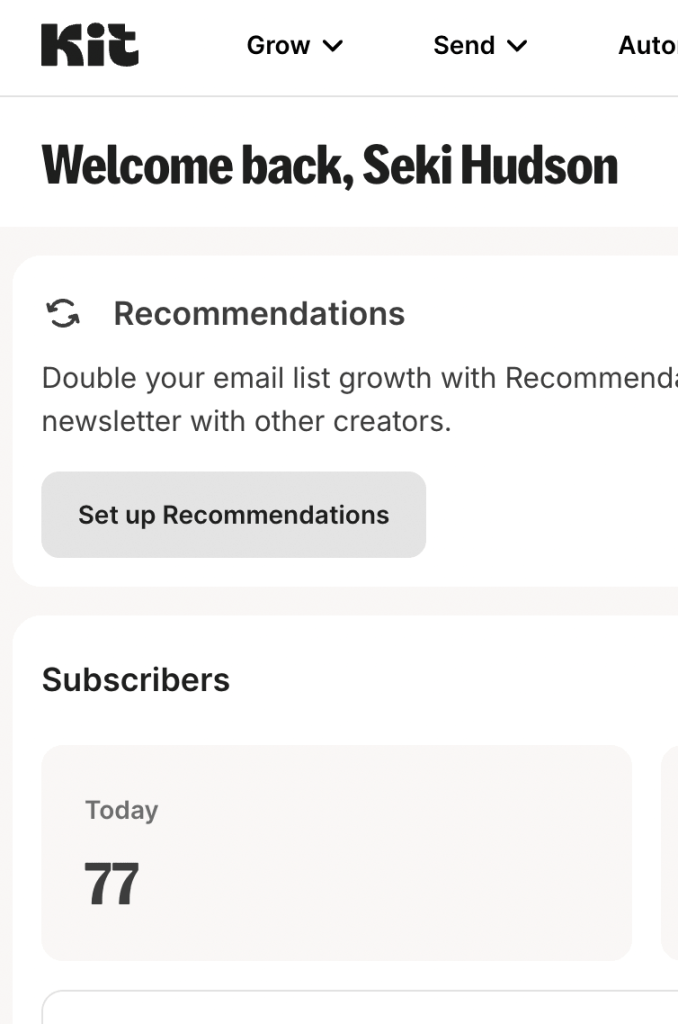
Kit was built specifically for creators, bloggers, podcasters, YouTubers, and newsletter writers, and it shows in every part of the platform.
The features are designed around how creators actually work, not around enterprise marketing workflows.
What makes it stand out
Kit’s free plan is unusually generous at the top end: up to 10,000 subscribers at no cost. You also get access to a landing page builder and basic automation.
The monetization feature, which lets you sell digital products and subscriptions directly through the platform, is a standout capability that most email tools don’t include at any tier.
Free plan limits
Up to 10,000 subscribers, single automation, Kit branding on emails.
Paid plans
Starting at $39/month for 1000 subscribers with full automation.
One thing to know
The free plan includes Kit’s branding on outgoing emails, and paid plans can get expensive as your list grows. Also, the template library leans heavily on text-based templates, which isn’t ideal if you want image-rich visual campaigns.
Best for
Bloggers and content creators who prioritize simplicity are building toward a newsletter or digital product business and want generous subscriber limits on the free tier.
Sender: Best for Features on a Free Plan
Sender is often overlooked in favor of bigger names, but its free plan punches well above its weight class.
You get 2,500 subscribers and 15,000 emails per month, including full automation, segmentation, A/B testing, and even abandoned cart workflows, all at zero cost.
What makes it stand out
Sender’s interface is genuinely simple. The automations included on the free plan are surprisingly advanced compared to competitors, and the platform recently added the ability to A/B test subject lines, CTAs, and design elements within automation workflows. There’s also an SMS add-on if you want to expand to multi-channel marketing down the line.
Free plan limits
2,500 subscribers, 15,000 emails/month.
Best for
Budget-conscious beginners who want automation and segmentation without paying for them.
Mailchimp: Most Widely Known, but Read the Fine Print
Mailchimp is the name most people have heard of, and it’s worth including here because it genuinely is beginner-friendly in terms of interface design.
The drag-and-drop editor is intuitive, the brand is trusted, and there are more third-party integrations available than with most tools.
The catch in 2026
Mailchimp’s free plan has become increasingly restrictive. It now caps you at 250 contacts and 500 sends per month, making it one of the most limited free tiers in the space.
It also has a history of raising prices; some long-term users have reported three price increases in two years.
If you’re testing the waters with a tiny list, Mailchimp is fine. But most beginners will outgrow the free plan faster than they expect, and the paid upgrade is steeper than alternatives.
Free plan limits
250 contacts, 500 emails/month.
Best for
Absolute beginners who just want to try email marketing with a well-known brand, and don’t mind upgrading once they grow.
AWeber: Best for Beginners Who Want AI Assistance
AWeber is one of the older platforms in this space, but it has kept pace by adding features specifically designed for users with no design or tech background.
Its AI-powered design assistant is a standout: it automatically builds on-brand email templates by scanning your website and social media accounts.
What makes it stand out
On top of the AI assistant, AWeber offers a large library of templates, drag-and-drop editing, and a tagging system that lets you segment subscribers based on behavior (opens, clicks, signup data) without any manual work. Email automation features let you run drip campaigns and welcome sequences on autopilot.
Free plan limits
Up to 500 subscribers, 3,000 emails/month.
Best for
Beginners who want AI help with design and are building a personal brand or small business.
Quick Comparison Table
| Tool | Free Plan Subscribers | Free Emails/Month | Automation on Free? | Best For |
|---|---|---|---|---|
| MailerLite | 1,000 | 12,000 | ✅ Yes | Overall best for beginners |
| Brevo | Unlimited | 9,000 (300/day) | ✅ Yes | Growing lists fast |
| Kit | 10,000 | Limited | ⚠️ Basic only | Bloggers & creators |
| Sender | 2,500 | 15,000 | ✅ Yes | Feature-rich free plan |
| Mailchimp | 250 | 500 | ❌ No | Brand recognition only |
| AWeber | 500 | 3,000 | ✅ Yes | AI-assisted design |
Which Email Marketing Tool Should a Beginner Choose?
Here’s a simple decision framework:
Start with MailerLite if you want the best all-around experience, a clean interface, and solid free-tier features, including automation and landing pages. It’s the best default choice for most beginners.
Choose Brevo if growing your subscriber count fast is the priority and you don’t want to hit contact limits early. The unlimited contacts free tier is genuinely rare.
Go with Kit if you’re a blogger, creator, or building a newsletter business. The free plan is unusually generous at the top end (10,000 subscribers), and the creator-focused features align well with how content businesses work.
Pick Sender if you want the most features at zero cost, full automation, segmentation, and A/B testing all included free.
Avoid Mailchimp unless you already have a specific reason for it. The free plan has shrunk significantly, and the upgrade path is more expensive than competitors.
Why Building an Email List Matters More Than Ever
One thing worth reinforcing: your email list is one of the few digital assets you actually own.
Your blog traffic can drop overnight if Google updates its algorithm. Your social media reach can be throttled without notice.
Your podcast listeners don’t give you their contact details. But when someone subscribes to your email list, you have direct access to their inbox independent of any platform.
Industry benchmarks for 2026 put average email open rates at 20–25% across industries, with blogging and digital marketing niches seeing 25–35% and above 35% for highly engaged lists. By comparison, organic social media reach on most platforms is a fraction of that.
Building an email list from day one, even before your blog gets significant traffic, is one of the best investments you can make in your online business.
Getting Started: A Simple 3-Step Plan
Pick your platform
Based on the comparison above, choose the tool that fits your situation. Most beginners should start with MailerLite or Brevo.
Create a lead magnet
Give people a reason to subscribe to a free checklist, guide, template, or mini-course related to your niche. Even a simple one-page PDF can significantly improve your signup rate.
Set up a welcome sequence
Before you promote your list anywhere, create at least a 3–4 email welcome sequence that introduces you, delivers the lead magnet, and starts building a relationship with new subscribers.
Once those three things are in place, you’re set up to grow.
Final Thoughts
The best email marketing tool for beginners is the one you’ll actually use consistently. Don’t spend weeks comparing platforms. Pick one from this list, set up your account, and start building.
MailerLite is the safest default. Brevo is the right call if you’re growth-focused. Kit is purpose-built for creators. Any of these will serve you well for your first year and beyond.
The email list you build this year will be one of your most valuable long-term assets. Get started now.
Have questions about which platform is right for your specific situation? Drop a comment below or reach out directly.