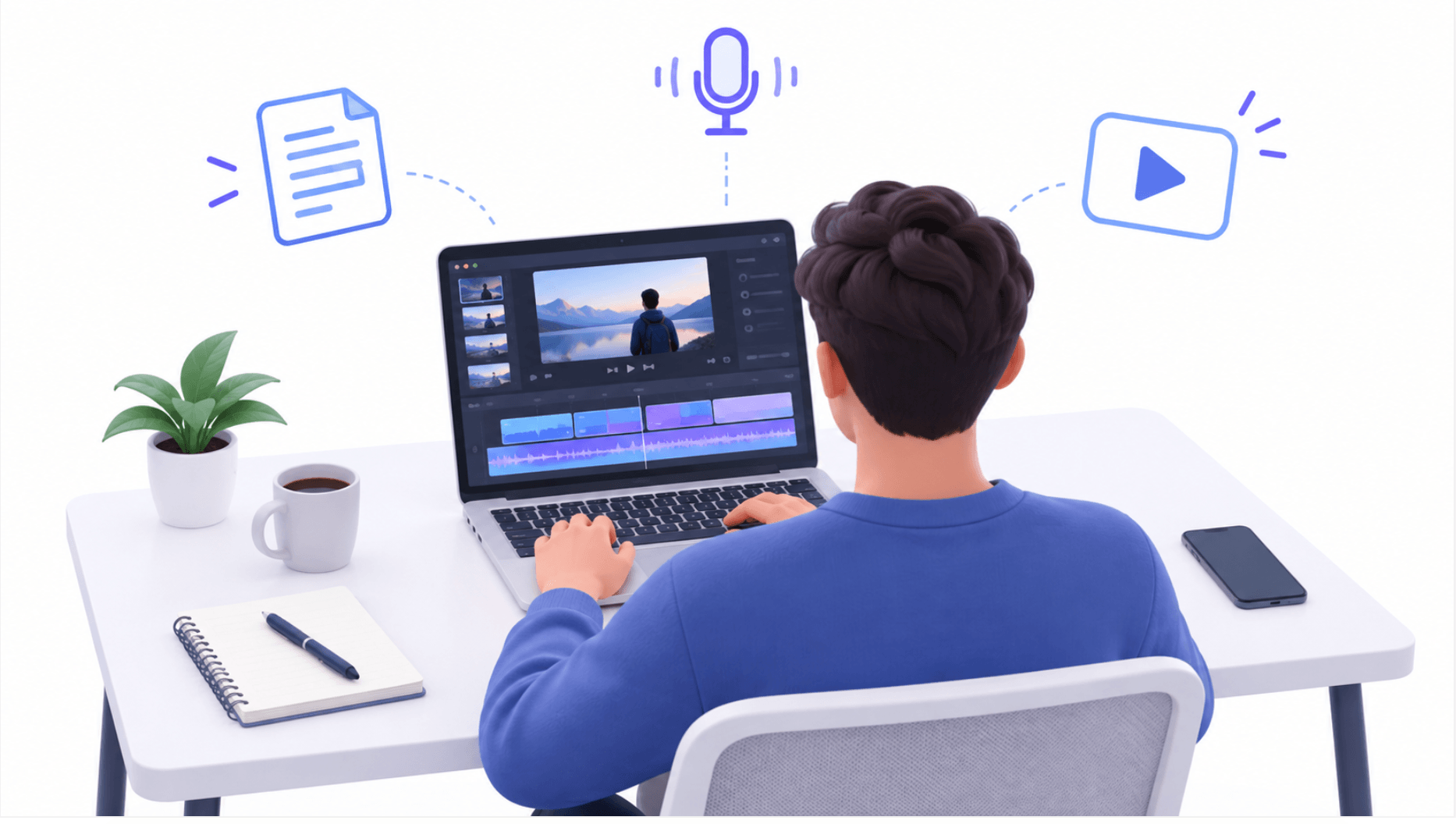
You want to start a YouTube channel, but you don’t want to sit in front of a camera. Maybe you value your privacy.
Maybe recording yourself feels uncomfortable. Or perhaps the thing you want to teach is better shown on a screen.
You can build a channel around that.
A faceless AI YouTube channel uses videos that don’t show the creator’s face, with AI helping with parts of production.
You might publish screen tutorials, narrated explanations, animations, or original demonstrations.
The opportunity is to make useful videos with a manageable workflow. It still takes research, judgment, editing, and patience.
In this guide, you’ll learn how to start a faceless AI YouTube channel from scratch, choose a clear topic, create your first videos, and connect your work to a longer-term digital business.
How Do You Start a Faceless AI YouTube Channel?
Start by choosing one audience and one problem you can help them solve. Set up your channel, plan a small series of related videos, and use AI to help organize your research and scripts.
Create original visuals, add narration, edit for clarity, and publish consistently. Use viewer feedback to improve before expanding production.
For a beginner, a practical starting format is an original screen recording with clear narration. It lets you demonstrate something useful without appearing on camera.
What Is a Faceless AI YouTube Channel?
“Faceless” describes how you present the video. “AI” describes tools you use to produce it. Your channel does not have to be about artificial intelligence.
For example, you could teach spreadsheet skills, explain gardening concepts, demonstrate design workflows, or publish carefully researched history videos.
AI might help you organize an outline, suggest titles, or draft narration. Your contribution is deciding what matters, checking accuracy, and creating an experience worth watching.
You can also use your voice. You don’t need a synthetic narrator simply because you prefer to stay off camera.
How to Start a Faceless AI YouTube Channel From Scratch
Step 1: Choose a Niche You Can Demonstrate or Explain Well
Start with this question:
What can I help a specific person understand or accomplish?
“Technology” is a broad topic. “Simple software tutorials for self-employed beginners” gives you a clearer audience and purpose.
Here are some possible directions. These are starting ideas, not verified low-competition niches.
| Channel focus | Faceless format | Example video |
|---|---|---|
| Software skills | Screen recording | How to Build a Simple Project Tracker |
| Digital products | Demonstration | Create a Printable Weekly Planner From Scratch |
| Small-business workflows | Practical walkthrough | Turn Repeated Customer Questions Into an FAQ |
| Beginner design | Before-and-after demonstration | Fix These Three Common Presentation Mistakes |
| Technical education | Original diagrams and narration | How a Sensor Converts a Measurement Into a Signal |
Choose a subject where you can add examples, demonstrations, or informed explanations. If you only know enough to paraphrase other videos, research further or narrow your topic.
Before committing, write down 20 potential video ideas. Then ask whether the same person would reasonably want to watch most of them.
Step 2: Research Viewer Questions Before Making Videos
Search YouTube for phrases your intended audience might use. Look at the videos appearing for those questions, including recent uploads.
Pay attention to what they promise, how they explain the topic, and what viewers still ask in the comments.
Look for a specific opening: an outdated walkthrough, missing troubleshooting advice, unexplained jargon, or a tutorial that assumes too much prior knowledge.
A small channel attracting interest can be an encouraging signal, but one successful video does not prove a niche is easy. Compare several examples and avoid treating autocomplete suggestions as search-volume data.
Build your first five videos around one connected problem. For a channel helping beginners create digital products, that might be:
- Choose one problem your first digital product will solve.
- Create a simple checklist that addresses it.
- Format the checklist into a readable PDF.
- Write a clear product description.
- Improve the product using customer feedback.
This gives a new viewer a reason to watch another video after discovering the first one.
Step 3: Set Up a Clear, Simple Channel
Choose a name that is easy to remember and broad enough to accommodate related topics. A personal brand can still work with faceless videos.
Prepare a readable profile image, a simple banner, and a short description explaining who you help and what viewers will learn.
For example:
“Practical tutorials for beginners building useful digital products. Learn how to plan, create, and improve simple online assets through clear screen demonstrations.”
You don’t need an elaborate logo or animated introduction to publish your first tutorial. Spend that time making the tutorial easier to follow.
Step 4: Start With a Small Production Toolkit
You need a way to plan, record, edit, and create thumbnails. One tool per job is enough to begin.
| Task | Simple starting approach |
|---|---|
| Research and scripting | Your notes, reliable sources, and an AI assistant |
| Screen recording | OBS Studio |
| Narration | Your voice and an existing microphone or headset |
| Editing | An editor you already know, or DaVinci Resolve’s free edition |
| Thumbnails | A design tool you already use |
| Planning | A basic spreadsheet or checklist |
OBS Studio is free and open source. Blackmagic Design offers a free edition of DaVinci Resolve. Check system requirements before choosing an editor.
If you already know an editing program, use it. Familiarity can save more time than switching tools for a feature you don’t yet need.
You can begin without adding software subscriptions if your existing equipment and available free tools meet your needs. Budget for time, too: research, recording, and revisions are real production costs.
Step 5: Use AI to Draft a Script, Then Add Your Judgment
Start with the result your viewer wants. For example: “By the end, the viewer will have created and exported a one-page checklist.”
Build the video around five parts:
- Hook: Show the finished result or explain the problem.
- Context: Mention what the viewer needs before starting.
- Demonstration: Walk through the process.
- Troubleshooting: Explain one likely mistake and its fix.
- Next step: Suggest one relevant action.
Here is a reusable prompt for an AI assistant:
Help me outline a beginner-friendly YouTube tutorial about [topic] for [audience]. The viewer should finish with [specific result]. Use these verified notes: [notes]. Start with the outcome, organize the demonstration into clear steps, and suggest visuals for each section. Flag missing information. Do not invent statistics, personal experiences, software features, or results.
Treat the response as a draft. Perform the process yourself, correct errors, and replace general advice with specific examples.
If a tool fails during your test, explain the limitation. That detail may help viewers more than a perfectly polished script that skips every difficulty.
Step 6: Create Original Visuals and Clear Narration
For a tutorial, record your own screen using a demonstration account or sample project. Enlarge small interface elements, remove distractions, and hide private information before recording.
For an explainer, use diagrams, illustrations, or footage you have appropriate permission to use. Make the visuals support the explanation: when discussing a process, show its stages; when comparing options, show the actual differences.
Keep a record of where third-party assets came from and their license terms. An AI tool’s commercial-use permission does not by itself establish that every generated element is free of third-party rights issues.
Your own narration is a straightforward starting option. Record in a quiet room and speak as though you are helping one person beside you.
If you choose a synthetic voice, review the provider’s usage terms, avoid impersonation, and listen to the entire recording. Correct pronunciation mistakes and unnatural pauses before publishing.
Step 7: Edit for Understanding
Show the promised result early, then move into the explanation. Cut repeated points, long pauses, and sections that don’t help the viewer complete the task.
Use zooms when text is difficult to read and on-screen labels when they clarify a step. Keep background music low enough that narration remains easy to understand.
Watch the finished video on a phone. Can you read the important details? Can you follow the instructions without rewinding constantly? Does every step appear in the right order?
Make the video as long as the explanation requires. Avoid stretching a straightforward task to reach an arbitrary duration.
Step 8: Write an Accurate Title and Make a Clear Thumbnail
A useful title connects the subject with a specific outcome.
“My New AI Tutorial” tells the viewer very little. “Create Your First Printable Checklist With AI” explains what they can accomplish.
Use the main search phrase naturally when it fits. Your thumbnail should reinforce the promise with a recognizable result, a clear focal point, and minimal text.
In the description, explain what the video covers, link relevant resources, and add chapters where useful. Include a clear disclosure beside affiliate recommendations if you use them.
Think of the title and thumbnail as a promise. The opening of the video should quickly demonstrate that you intend to keep it.
Step 9: Understand YouTube’s AI and Monetization Rules
Using AI does not automatically make a channel ineligible for monetization. YouTube evaluates originality and value, including whether videos are generic, repetitive, or mass-produced.
Reusing online material without a substantial original contribution can also create monetization problems even when you have permission to use it. See YouTube’s channel monetization policies.
For your workflow, that means each video should offer a distinct explanation, demonstration, story, or perspective. A new title over almost identical content is a weak foundation for a channel.
YouTube also requires disclosure for certain realistic AI-generated or meaningfully altered content. Examples include making a real person appear to say something they didn’t or depicting a realistic event that never happened.
Its examples generally exempt production assistance such as outlines, scripts, titles, and captions. AI-generated music is among its disclosure examples.
Disclosure itself does not remove monetization eligibility. Review YouTube’s AI disclosure guidance when uploading.
Step 10: Publish, Review, and Improve
Choose a pace you can maintain. One useful video per week is a reasonable starting commitment alongside a job or another business.
After publishing, review the response with a specific question in mind.
| Signal | Question to investigate |
|---|---|
| Impressions with few clicks | Is the topic relevant, and is the promise clear? |
| Viewers leaving near the beginning | Does the opening deliver on the title? |
| A drop during the explanation | Is that section confusing, slow, or unnecessary? |
| Repeated questions in comments | What needs clarification or a follow-up video? |
| Returning viewers | Which topics give people a reason to come back? |
These are clues, not automatic diagnoses. Small samples can mislead, and traffic sources affect performance. Compare similar videos on your own channel before drawing strong conclusions.
Improve one major element at a time so you can understand what changed.
How Can a Faceless AI YouTube Channel Make Money?
Several business models can fit, depending on the audience and the value you provide.
Affiliate marketing
This is my favorite way to make money online with or without AI. Demonstrate a relevant tool, explain its limitations, and share a clearly disclosed affiliate link. Recommend products you can evaluate honestly.
Digital products
I created guides that I sell for $19, promoting them on my YouTube AI channels. You can turn a recurring audience problem into a useful checklist, template, guide, or course. Let real questions guide what you create.
Services
A tutorial can demonstrate skills that support an editing, design, setup, or training service. Interested viewers still need a clear offer and a reason to trust you.
Advertising
For the standard ad-revenue eligibility route, YouTube lists 1,000 subscribers plus either 4,000 qualifying public watch hours in the preceding 12 months or 10 million qualifying public Shorts views in 90 days.
Shorts Feed watch hours don’t count toward the 4,000-hour route. Other requirements and channel review apply.
See the YouTube Partner Program requirements. Earlier access to some features exists in eligible regions; it is distinct from full ad-revenue eligibility.
None of these methods guarantees income. For a new channel, budget on the assumption that initial revenue may be zero.
The broader opportunity is to connect useful videos with your website, an optional email signup, and a relevant offer. Over time, that can turn individual tutorials into a collection of assets that support your business.
A Realistic 30-Day Launch Plan
Treat the first month as a production and learning experiment.
| Week | Focus | Deliverable |
|---|---|---|
| 1 | Choose your audience and research questions, and set up the channel. | One clear channel promise and five connected topics |
| 2 | Test, script, record, and edit your first tutorial. | First video published |
| 3 | Improve the workflow and answer a related question. | Second video published |
| 4 | Create another useful video and review early feedback. | Third video published and the next topics were selected. |
If you have extra capacity, add a fourth video. A short can highlight one useful point from a tutorial, but make sure it stands on its own and serves the same audience.
Success in month one means you have a repeatable process and something concrete to learn from. It does not require viral views or monetization.
Frequently Asked Questions
Can I start a faceless YouTube channel for free?
You can start without paying for additional software if you already have suitable equipment and use free tools.
Paid assets, microphones, and subscriptions are optional costs to evaluate as your needs become clearer.
Do I need to use an AI voice?
No. Faceless videos can use your narration. You can also create caption-led demonstrations, provided viewers can easily understand the content.
What is a good faceless channel format for beginners?
An original screen tutorial is a practical choice if you can demonstrate a useful task. It gives you a clear structure and lets viewers see the result directly.
How long does it take to earn money?
There is no reliable universal timeline. Results depend on your audience, content, offer, and execution. Some channels never earn meaningful revenue, so use your first uploads to test demand and improve your skills.
Start With One Useful Video
Learning how to start a faceless AI YouTube channel becomes easier when you reduce the first task: help one specific person solve one specific problem.
Choose the question today. Test the process. Create a clear demonstration, publish it, and use what you learn to improve the next one.
You can stay off camera and still bring your experience, judgment, and personality to the work. Those contributions give viewers a reason to return.