If you’ve been looking for a free traffic source that actually works for affiliate marketing, one that doesn’t require you to go viral on social media or spend money on ads, then you need to pay serious attention to Pinterest.
I’ll be honest with you: when I first heard “Pinterest for affiliate marketing,” I pictured DIY crafts and wedding mood boards. I almost skipped it entirely. That would have been a costly mistake.
Pinterest is a visual search engine, not a social network. That single distinction changes everything about how you use it and why it works so powerfully for affiliate marketers and bloggers who want consistent, compounding free traffic.
In this beginner guide, I’ll walk you through exactly how Pinterest for affiliate marketing works, how to set up your account the right way, how to create pins that actually drive clicks, and how to build a strategy that grows on autopilot over time.
Let’s get into it.
What Is Pinterest and Why It’s Perfect for Affiliate Marketing?
Pinterest describes itself as a “visual discovery engine.” With over 518 million monthly active users globally, it is one of the largest search platforms on the internet, sitting alongside Google, YouTube, and Amazon as places people go specifically looking for things.
This is the key insight most beginners miss.
On Instagram or TikTok, you interrupt someone’s entertainment. On Pinterest, you show up exactly when someone is searching for a solution, whether that’s “best budget camera for travel bloggers” or “how to lose 20 pounds with meal prep.” The intent is already there. Your job is simply to appear in front of it.
Why Pinterest Is Especially Powerful for Affiliate Marketers
High buyer intent
Pinterest users are planners and shoppers. Studies consistently show Pinterest users are significantly more likely to purchase something they discover on the platform compared to users on other social networks.
Long pin lifespan
A tweet dies in hours. An Instagram post fades in days. A well-optimized Pinterest pin can drive traffic for months or even years. This is the compounding power no one talks about enough.
Free organic traffic
You don’t need to run ads. Pinterest’s search algorithm rewards consistent, well-optimized pinning, and that traffic is free.
It’s not saturated in every niche
Unlike Google, where competitive niches can take years to rank in, Pinterest gives new accounts a legitimate shot if you optimize correctly from the start.
Works in almost every affiliate niche
Finance, fitness, food, travel, home decor, DIY, tech, parenting, and online business. Pinterest has active, engaged audiences in virtually every profitable affiliate category.
How Pinterest for Affiliate Marketing Actually Works
Let me break the mechanics down clearly so you understand the full picture before diving into tactics.
The Traffic → Blog → Affiliate Offer Flow
The most sustainable Pinterest affiliate marketing strategy looks like this:
Pinterest Pin → Your Blog Post → Affiliate Offer
A searcher on Pinterest types something like “best email marketing tools for beginners.” They find your pin.
The pin links to a blog post on your site titled Best Email Marketing Tools for Beginners (Honest Review).
Inside that post, you’ve embedded affiliate links to the tools you recommend, MailerLite, ConvertKit, whatever fits your audience. When the reader clicks and makes a purchase, you earn a commission.
This is the core funnel. Pinterest is the top-of-funnel traffic driver. Your blog is the bridge. The affiliate link is the conversion point.
The Direct Pin Flow (More Controversial)
Some affiliate marketers skip the blog and link directly from Pinterest to affiliate products using their affiliate URL. This can work, but it comes with risks:
- Pinterest has become stricter about direct affiliate links and may suppress pins that link off-platform aggressively.
- You lose the ability to capture email subscribers.
- You have no asset (your blog post) that keeps compounding in Google search results as well.
I’ll cover this in more detail in Section 8, but my strong recommendation for beginners is: build the blog post first, pin second.
Setting Up Your Pinterest Business Account the Right Way
If you’re starting from scratch, follow these steps exactly. Getting the foundation right will save you weeks of confusion later.
Step 1: Create a Pinterest Business Account
Go to business.pinterest.com and sign up for a free business account. If you already have a personal account, you can convert it or create a separate business account linked to the same email.
Why a Business Account?
- Access to Pinterest Analytics (essential for growth)
- Access to Pinterest Ads (optional but available)
- Ability to claim your website
- Access to rich pin features
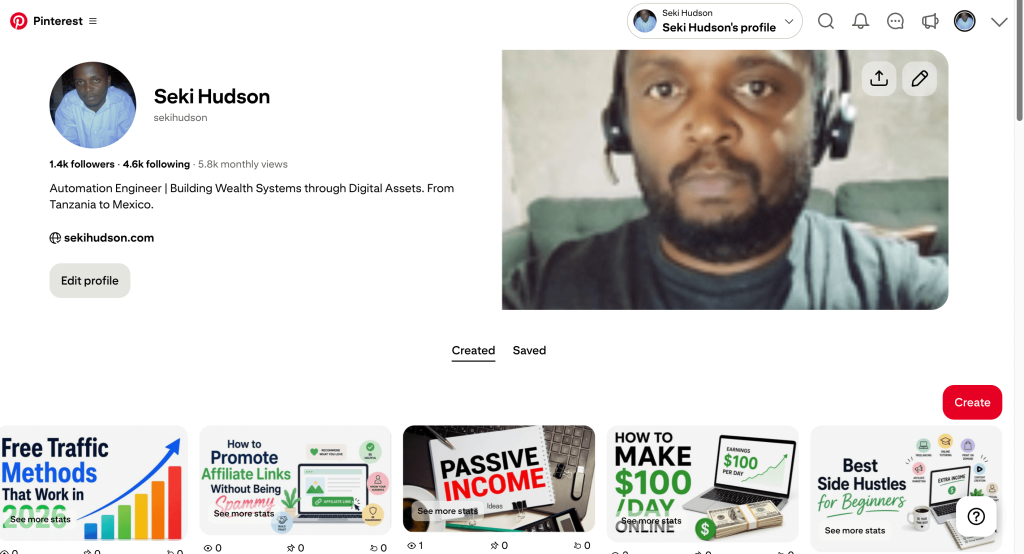
Step 2: Optimize Your Profile
Your Pinterest profile is a landing page. Treat it like one.
Profile name
Include your primary keyword alongside your brand name. For example: Seki Hudson | Online Business & Affiliate Marketing Tips. Pinterest’s algorithm reads your name as part of your SEO signal.
Profile photo
Use a clear, professional headshot. People trust people. A real face outperforms a logo for personal brands.
Bio (160 characters)
Lead with what you help people do, then include your primary keyword naturally. Example: I help beginners build income online through blogging and affiliate marketing. Engineer turned digital entrepreneur.
Website
Add your blog URL and verify it. Verified websites get better distribution and display a checkmark of credibility.
Step 3: Verify Your Website
This is non-negotiable. Go to Settings → Claimed Accounts and follow the instructions to add a meta tag or upload an HTML file to your website. Once verified, your pins will show your profile photo and website URL, which dramatically increases click-through trust.
Step 4: Enable Rich Pins
Rich Pins automatically pull metadata from your blog posts (title, description, author) and attach it to your pins. They make your content look more professional and tend to perform better in Pinterest search.
To enable Rich Pins, go to developers.pinterest.com/tools/url-debugger, paste a URL from your blog, and follow the validation steps.
If you’re on WordPress with Yoast SEO or RankMath, your site likely already has the Open Graph tags that Rich Pins require.
Choosing the Right Niche and Affiliate Products for Pinterest
Not all niches are equally suited to Pinterest. Let me help you evaluate yours quickly.
Pinterest’s Best-Performing Niches for Affiliate Marketers
Pinterest has massive, engaged audiences in:
- Personal finance (budgeting, saving, investing, side income)
- Health and fitness (weight loss, nutrition, home workouts)
- Food and recipes
- Home decor and DIY
- Travel
- Beauty and skincare
- Online business and blogging
- Parenting and family
- Fashion and style
If your blog falls into any of these categories, Pinterest should be a core traffic channel for you.
Evaluating Affiliate Products for Pinterest
When choosing what to promote on Pinterest, ask yourself.
Is this product visually representable?
A pin is an image. Products that can be shown visually or whose benefits can be illustrated convert far better than abstract services.
Does the product solve a specific, searchable problem?
“Best meal prep containers for weight loss” is searchable. “Good general containers” is not.
What is the commission structure?
Pinterest drives volume but requires click-through. Prioritize products with either high commissions (20%+ digital products) or high average order values that make lower commission rates worthwhile.
Does the affiliate program allow Pinterest promotion?
Most do. Amazon Associates, ShareASale, CJ Affiliate, ClickBank, Digistore24, and most SaaS affiliate programs are all Pinterest-compatible. Always check the program’s terms.
Creating Boards That Rank in Pinterest Search
Your boards are how Pinterest categorizes your content and how new followers discover your account. Most beginners create boards randomly. Don’t do that.
How to Name Your Boards for SEO
Every board name is a keyword opportunity. Name your boards the way someone would search on Pinterest, not the way you’d name a folder on your desktop.
Bad board name: My Blogging Tips
Good board name: Affiliate Marketing Tips for Beginners
Bad board name: Fitness Stuff
Good board name: Weight Loss Meal Plans and Workout Routines
Use the Pinterest search bar to validate your board names. Type a phrase and see what autocomplete suggestions appear.
Those are real searches people are making. If Pinterest is autocompleting your phrase, it means there’s traffic there.
Board Description Optimization
Every board has a description field. Fill it. Use 2–3 sentences with your primary keyword and 2–3 related secondary keywords woven in naturally.
Example for an online business board
This board is dedicated to affiliate marketing tips, blogging strategies, and online income ideas for beginners.
Whether you’re just starting your first blog or looking to grow your passive income, you’ll find actionable guides on SEO, email marketing, and digital products. Perfect for bloggers who want to turn their content into consistent revenue.
That description contains multiple keyword phrases Pinterest can index and surface in search results.
How Many Boards Should You Have?
For a new account, start with 10–15 boards that are tightly aligned to your niche and the affiliate products you promote.
Each board should have a minimum of 10–15 pins before you consider it “live.” A sparse board looks untrustworthy to both Pinterest’s algorithm and your potential followers.
How to Create Pins That Drive Traffic and Clicks
The pin is your ad. Your organic, free, evergreen ad. Getting the design and copy right is the highest-leverage skill you can develop for Pinterest affiliate marketing.
Pin Dimensions and Format
Pinterest is a vertical-first platform. The optimal pin size is 1000 x 1500 pixels (2:3 ratio). Avoid square or horizontal images; they get less space in the feed and underperform consistently.
For video pins, the same 2:3 ratio applies. Keep video pins between 6 and 15 seconds for best completion rates.
What Makes a High-Performing Pin?
A bold, benefit-driven headline on the image
The text on your pin is often what stops the scroll. Make it specific and promise a clear outcome.
- Weak: Affiliate Marketing Tips
- Strong: 7 Affiliate Marketing Strategies That Made Me $2,000/Month as a Beginner
Use large, legible fonts. Canva has excellent Pinterest templates — start there if you’re not a designer.
Clean, high-contrast visuals
Bright, clear images outperform dark or cluttered ones. If you’re using lifestyle photos (from sites like Unsplash or Pexels), choose images with a single subject and minimal background noise. Your headline needs to be readable at thumbnail size.
Your branding in the pin
Include your blog URL or logo subtly at the bottom of every pin. This reinforces trust and creates brand recognition as your pins circulate across the platform.
A curiosity gap or a specific number
Numbers work. “11 Side Hustles That Require Zero Experience” outperforms “Side Hustles for Beginners” nearly every time. Specific numbers create credibility and curiosity simultaneously.
The Pin Title and Description (Often Neglected)
When you upload a pin, Pinterest asks for a title and description. These are major SEO fields. Do not skip them.
Pin title
Lead with your primary keyword. Keep it under 100 characters. Example: Pinterest for Affiliate Marketing: A Complete Beginner’s Guide
Pin description
Write 2–4 sentences. Include your primary keyword in the first sentence. Add 2–3 related keywords naturally. End with a call to action.
Example: Want to use Pinterest for affiliate marketing but don’t know where to start? This beginner guide walks you through setting up your account, creating viral pins, and driving free traffic to your affiliate blog. Perfect for new bloggers ready to monetize. Click to read the full guide.
7. Pinterest SEO: How to Get Found Without Paying for Ads
Pinterest has its own search algorithm called Smart Feed, and understanding how it works is how you get consistent free traffic without spending on ads.
How the Pinterest Algorithm Works
Pinterest’s algorithm determines which pins to surface based on:
- Relevance: Does your pin match what the user searched?
- Quality of the pinner: Is your account active, verified, and consistent?
- Pin quality: How many saves and clicks has this pin received over time?
- Domain quality: Is your linked website trustworthy and relevant?
Your job is to optimize for all four signals simultaneously.
Keyword Research for Pinterest SEO
Pinterest has a built-in keyword research tool hiding in plain sight: the search bar.
Start typing your topic into the Pinterest search bar. The autocomplete suggestions that appear are actual searches users are performing right now. Collect 10–15 of these phrases for each piece of content you create.
Go one level deeper: after you search a term, Pinterest shows you guided search bubbles at the top of the results page.
These are refinement keywords, highly specific phrases that tell you exactly what sub-problems your audience is searching for.
Use these discovered keywords in your.
- Board names and descriptions
- Pin titles and descriptions
- Blog post titles (for Rich Pin metadata)
Hashtags on Pinterest: Use Them Sparingly
Pinterest de-emphasized hashtags significantly in recent years. They no longer drive the same discovery they once did.
Add 2–5 highly relevant hashtags to your pin descriptions, but focus most of your SEO effort on natural keyword integration in your title and description text, not on hashtag stacking.
Direct Pinning vs. Linking to Blog Posts: Which Should You Do?
This is the question every beginner asks eventually, and the answer has important implications for your long-term strategy.
Direct Affiliate Links on Pinterest
You can link directly from a Pinterest pin to an affiliate product URL. In the “Destination Link” field when creating a pin, you paste your affiliate link instead of a blog post URL.
The case for direct linking
- Fewer steps for the buyer (pin → product page)
- No blog required to get started
- Can work in niches with high product purchase intent
The risks of direct linking:
- Pinterest has historically flagged accounts that spam affiliate links
- You’re building on rented land, no email list, no blog traffic, no SEO asset
- If Pinterest suppresses your pins or suspends your account, you lose everything overnight
- Some affiliate programs prohibit direct social media linking (always read the TOS)
Linking Through Your Blog (Recommended)
Blog-mediated affiliate marketing on Pinterest is a more sustainable, compounding strategy.
The case for blog-mediated linking.
- Your blog post itself ranks on Google over time as a double traffic source
- You capture email subscribers from the same audience
- You can include multiple affiliate offers in one post
- One blog post can have dozens of pins pointing to it, all driving traffic
- Pinterest is less likely to suppress pins that link to high-quality content
My recommendation
Build your blog posts first. Create 3–5 pins per post. Let Pinterest drive traffic to the post, and let the post convert through multiple affiliate links and an email opt-in.
This is the full Traffic → Email → Offer funnel working at its best.
Building a Pinterest Posting Schedule That Compounds Over Time
Consistency is the single biggest factor that separates Pinterest accounts that grow from accounts that stagnate.
How Often Should You Pin?
For a new account, aim for 5–15 pins per day. This sounds like a lot, but remember:
- You’re not creating 15 new images every day
- You’re repinning your own content to multiple boards
- You can schedule content in batches using a tool like Tailwind (the most popular Pinterest scheduler)
The rule of thumb: fresh content first, repins second. Pinterest rewards new content, so prioritize uploading new pins regularly, even if you’re also repinning older material.
The “Fresh Pin” Principle
Pinterest’s algorithm significantly favors what it calls “fresh” content, new images, and new URLs it hasn’t seen before. This means:
- Create multiple pin designs for the same blog post (different colors, different headlines, same URL)
- Space out when you publish different pins for the same post
- Regularly create new blog content so you always have fresh URLs to pin
Using Tailwind for Batch Scheduling
Tailwind is the most widely used Pinterest scheduling tool. It allows you to.
- Schedule pins weeks in advance
- Join Tailwind Communities (formerly Tribes) to get your content amplified by other pinners in your niche
- Analyze which pins perform best and double down on winning formats
Tailwind is not free, but the paid plan pays for itself quickly once your account starts generating consistent affiliate commissions. Many beginners start with the free tier to test the platform.
Your First 30 Days: A Simple Framework
| Analyze early data, double down on the pin formats and topics, getting impressions | Focus |
|---|---|
| Week 1 | Set up account, create 10–15 boards, pin 20–30 saved/curated pins to fill boards |
| Week 2 | Create 3–5 original pins for your first 3 blog posts, begin daily pinning |
| Week 3 | Create more pin designs for existing posts, start joining group boards in your niche |
| Week 4 | Analyze early data, double down on the pin formats and topics getting impressions |
Tracking Your Results and Optimizing for More Clicks
Without data, you’re guessing. Pinterest’s built-in analytics dashboard gives you everything you need to understand what’s working and scale it.
Key Pinterest Metrics for Affiliate Marketers
Impressions
How many times has your pin appeared in someone’s feed or search results? A leading indicator of reach.
Saves (Repins)
How many people saved your pin to their own boards? A strong signal of content quality, Pinterest’s algorithm rewards high-save pins with more distribution.
Outbound Clicks
The metric that matters most for affiliate marketing. This tells you how many people clicked through to your blog post or affiliate page. Track this weekly.
Click-Through Rate (CTR)
Outbound clicks divided by impressions. A healthy Pinterest CTR is typically between 0.2% and 2%. If you’re below 0.2%, your pin design or headline needs work.
What to Optimize Based on Data
Low impressions?
Your SEO needs work to improve your keyword targeting in pin titles and descriptions.
High impressions, low saves?
Your pin image isn’t compelling enough to stop the scroll. Improve the visual design and headline.
High saves, low outbound clicks?
Your pin is attractive, but the call to action is weak. Make it clearer that there’s more content to read.
High outbound clicks, low affiliate conversions?
Your blog post content or affiliate offer isn’t converting. Review the post and consider testing different products.
Connecting Pinterest to Google Analytics
Inside your Pinterest Business Account, go to Settings → Claimed Accounts and connect your Google Analytics property. This lets you see Pinterest traffic inside GA4, including which pins are driving sessions, what pages those visitors land on, and whether they convert to email subscribers or affiliate clicks.
Common Mistakes Beginners Make on Pinterest
I want to save you from the mistakes that slow down most new Pinterest affiliate marketers.
Mistake 1: Using a Personal Account Instead of a Business Account
Personal accounts don’t have analytics. You need analytics to optimize. Switch to a business account from day one; it’s completely free.
Mistake 2: Creating Vague, Unoptimized Board Names
“My Favorites” or “Blog Posts” are not board names; they’re wasted opportunities. Every board name should be a searchable keyword phrase.
Mistake 3: Only Pinning Your Own Content
Pinterest’s algorithm rewards accounts that add value to the platform, not just self-promoters. Mix in curated pins from other high-quality sources in your niche (aim for a rough 80/20 mix of curated-to-original in early stages, then shift toward 50/50 or more original as you publish more blog content).
Mistake 4: Creating One Pin Per Blog Post
Every blog post can support 5, 10, even 20+ pins with different images, different headlines, different angles, all linking to the same URL. Creating just one pin per post is leaving the majority of potential traffic on the table.
Mistake 5: Being Inconsistent
Pinterest is a slow burn that rewards patience and consistency. Pinning heavily for two weeks and then disappearing for a month will hurt your account’s distribution. Set a schedule you can maintain and stick to it.
Mistake 6: Ignoring the Pin Description
The description field is your SEO text. Skipping it or writing generic filler phrases is like writing a blog post and leaving the meta description blank. Fill it with keywords and a call to action, every single time.
Mistake 7: Trying to Promote Unrelated Products
Pinterest users are highly search-intent driven. Trying to promote a software tool on a pin designed for home decor creates friction and kills conversions. Keep your pins, boards, blog posts, and affiliate offers tightly aligned.
How Long Does It Take to See Results?
Let me be straightforward with you: Pinterest is not a get-rich-quick platform. It rewards patience, consistency, and smart optimization. Here’s a realistic timeline for beginners.
Months 1–2
You’re building infrastructure. Account setup, board creation, and early pins. Your impressions will be low. Don’t panic. Pinterest is evaluating your account.
Months 3–4
If you’ve been consistent, impressions start climbing. You begin to see which pin styles and topics are gaining traction. Outbound clicks become visible in analytics.
Months 5–6
Accounts that have stayed consistent typically see meaningful traffic increases. Some pins from months 2–3 are now well-indexed and driving daily clicks. Affiliate click-throughs become more regular.
Months 6–12
The compounding effect becomes real. Old pins keep delivering. New pins are built on an established account with better initial distribution. Monthly affiliate commissions from Pinterest-driven traffic become consistent.
Beyond 12 months
Pinterest becomes a reliable, low-maintenance traffic channel. Pins from a year ago still drive daily traffic and affiliate clicks.
This is what “passive income” actually looks like in practice, not set-and-forget from day one, but compounded effort that pays dividends long after the work is done.
The bloggers and affiliate marketers I’ve studied who generate $1,000–$5,000+ per month from Pinterest didn’t get there in 30 days.
They got there because they built a real foundation and stayed consistent through the slow early phase.
Final Thoughts: Is Pinterest Worth It for Affiliate Marketers?
Yes. Unambiguously, yes, with the right strategy and the right expectations.
Pinterest is one of the few remaining free traffic channels where a beginner, with no existing audience and no ad budget, can build a consistent, growing stream of targeted visitors to their affiliate blog.
The visual search model, the long pin lifespan, the high buyer intent of the audience, and the SEO-friendly structure all combine to make it genuinely powerful.
But Pinterest rewards those who treat it like the search engine it is, not those who treat it like social media and post sporadically, hoping to go viral.
Here’s your action plan to get started today
- Create your Pinterest Business Account and verify your website
- Build 10–15 keyword-optimized boards aligned to your niche
- Create 3–5 pin designs for your top 5 blog posts
- Set a pinning schedule you can maintain; even 5–7 pins per day is a strong start
- Install Tailwind (or use Pinterest’s native scheduler) to batch your posting
- Check your analytics weekly and double down on what’s working
If you’re building a blog-based affiliate marketing business, Pinterest belongs in your traffic strategy. Start it early, build it consistently, and let it compound.
Disclosure
This post contains affiliate links. If you purchase through my links, I may earn a small commission at no extra cost to you. I only recommend products I’ve used or thoroughly researched. Thank you for supporting this blog.